How it works
Install it, let it record, ask it anything about access.
Three steps
From installation to your first answer
- 1
Install
On your own Windows Server, with your own SQL Server database. A Global Administrator approves access during setup.
What you need - 2
Record
A first full scan records who can reach each site, library, folder and file it scans. From then on it records every change and who made it, as Microsoft 365 reports them.
- 3
Ask
Who can reach it now, who could on a past date, why, and who changed it. Export the answer as evidence for an auditor or a ticket.
The first weeks
What to expect after installation
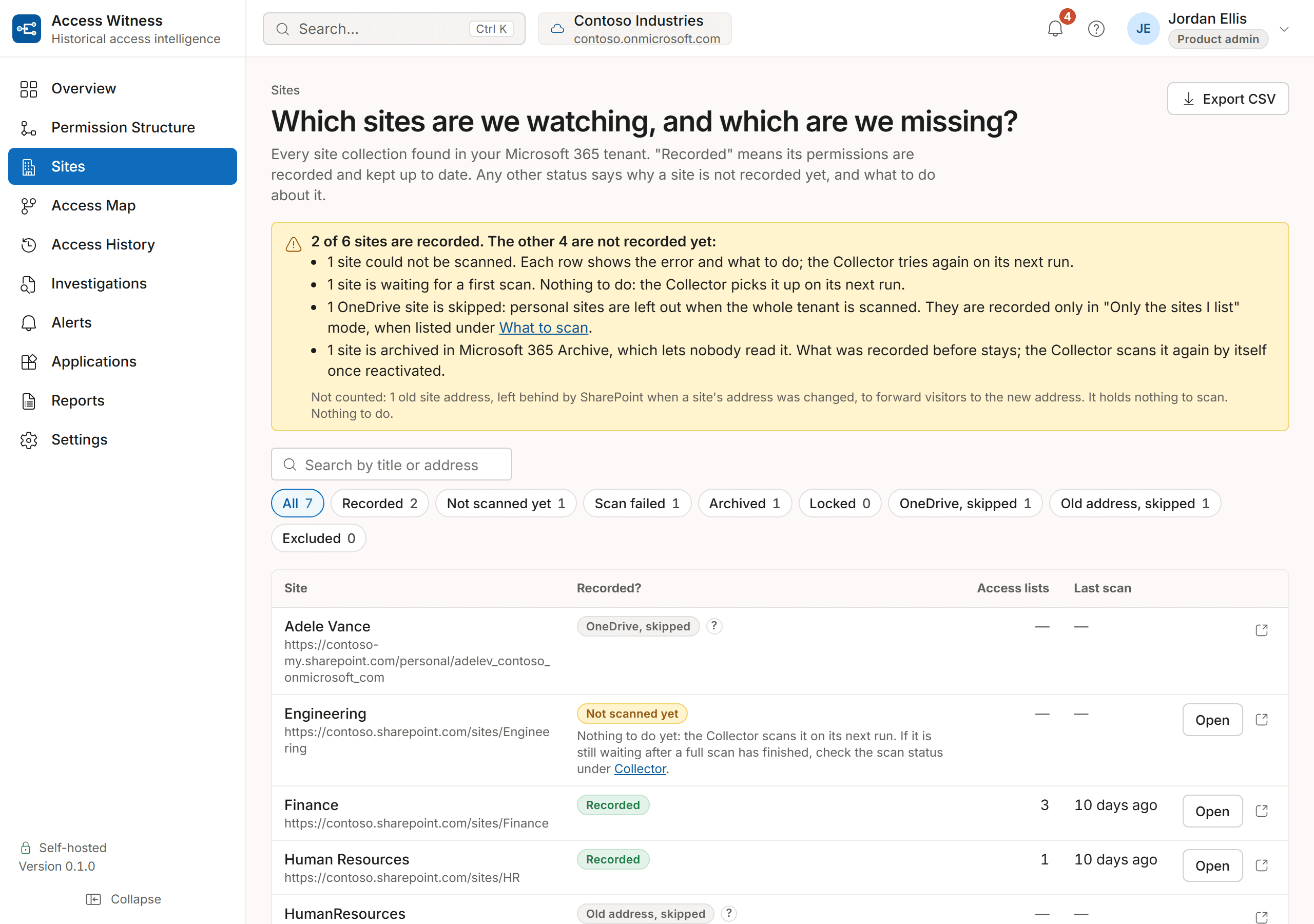
History starts with the first full scan. The first full scan of a very large tenant can take days rather than hours; after that the record keeps up as Microsoft 365 reports changes, which can take Microsoft some hours. We estimate the timing from your own tenant during the evaluation, not from a published number.
Answers you can check
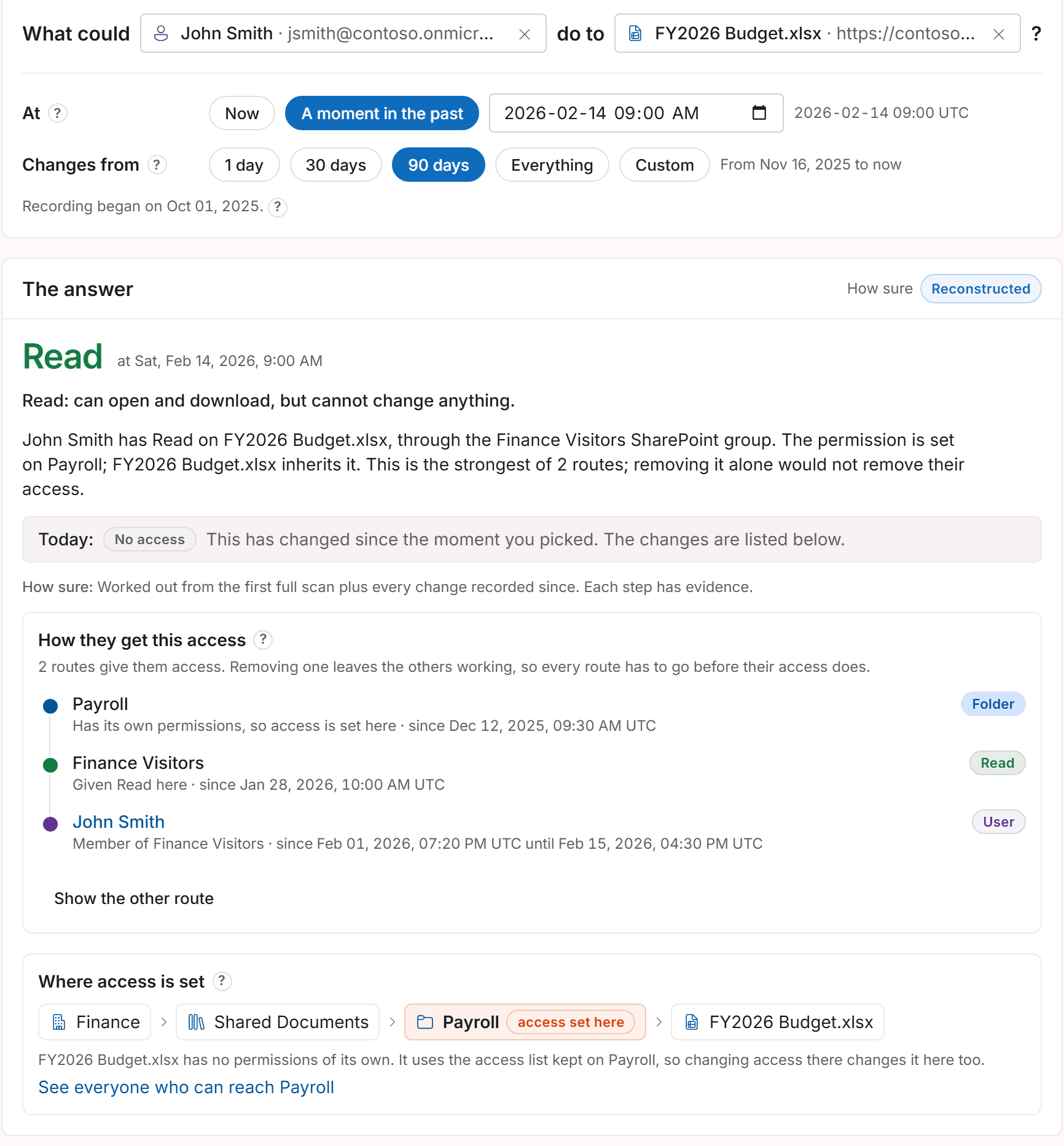
Every answer shows its route and how sure it is
An answer names the permission level, the route that gives it (groups, groups inside groups, sharing links) and where the permission was set. Every answer about the past carries one of four labels.
- Verified snapshot
- Seen directly in a scan taken at that moment.
- Reconstructed
- Worked out from the first full scan plus every change recorded since. Each step has evidence.
- Partial
- Some memberships or assignments could not be confirmed for that moment. Treat it as indicative.
- Unknown
- It was not recording yet at that moment, so it says so instead of guessing.
Where your data lives
In your own database, on your own servers
Everything it records stays in your own database. We never receive your permissions, users, groups, sites, files or audit records.
What does reach us, for the license and for updates, is listed on the security page.
How it works
See it answer a real question.
See how Access Witness records SharePoint permissions as they change and answers who had access on any past date, on a server you control.
Private deployment. Customer-controlled SQL database. Outbound-only connectivity.