Product overview
One system of record for SharePoint Online access, past and present.
Feature map
What the product does
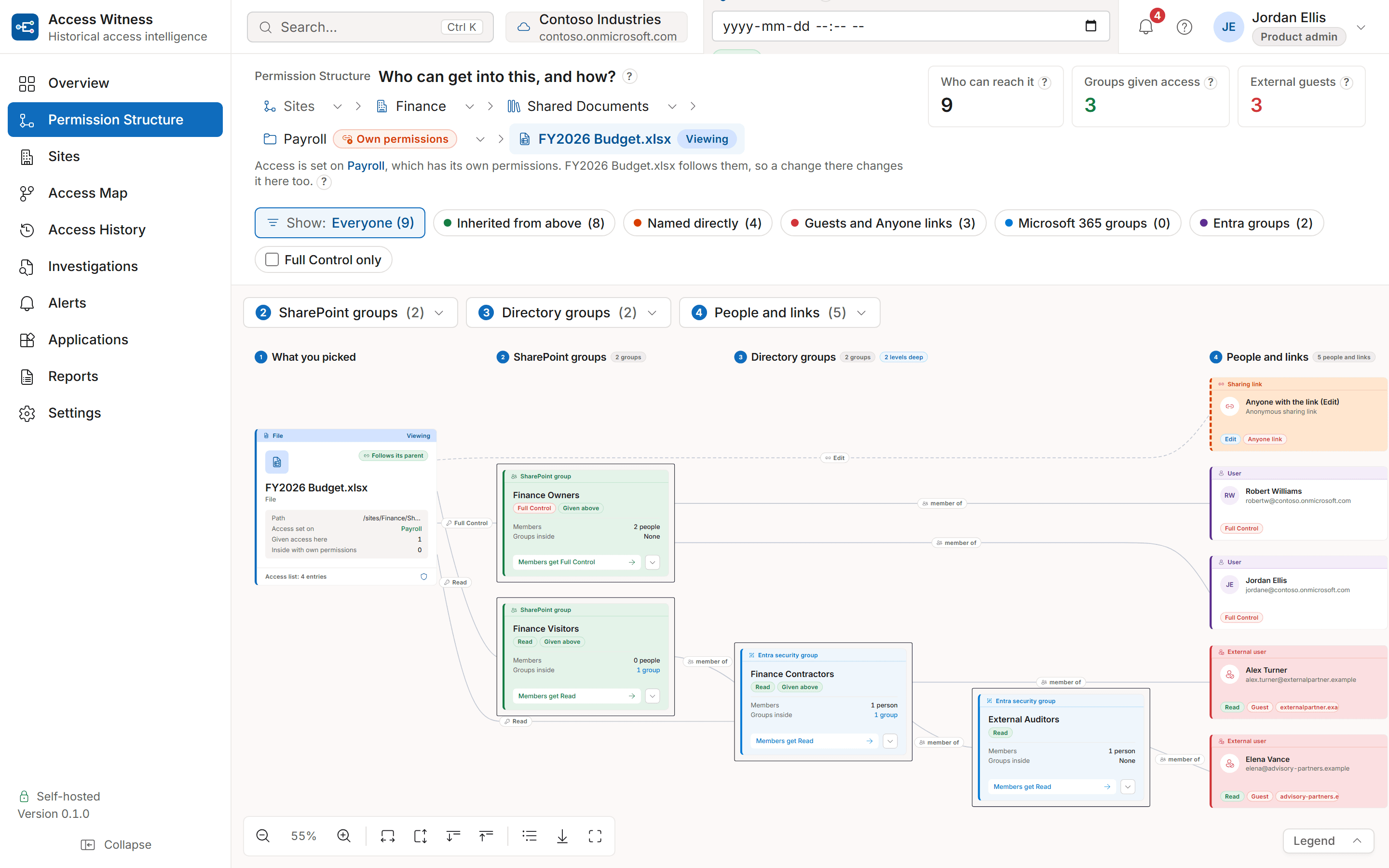
Permission Structure
Every route from a site, folder or file to the people who can reach it: SharePoint groups, groups inside groups, guests and sharing links, and where inheritance was broken.Access History
Pick a person, a file or site, and a date. See what they could do then, the route that gave it to them, and how sure the answer is.Past dates and comparisons
A View state at selector sets Permission Structure and Access Map to a past instant. Access History and the Access Map's What changed tab compare two instants to show what was added, removed or changed.Access Map
Start from a person or group instead of a site: every site, library, folder and file they can reach, drawn as a tree from them, with the route behind each object and a CSV to keep.Timeline and Investigations
Actor, UTC timestamp, before/after state and the person or group affected, filtered by who, whose access, where and when, and exported to CSV as evidence.Alerts
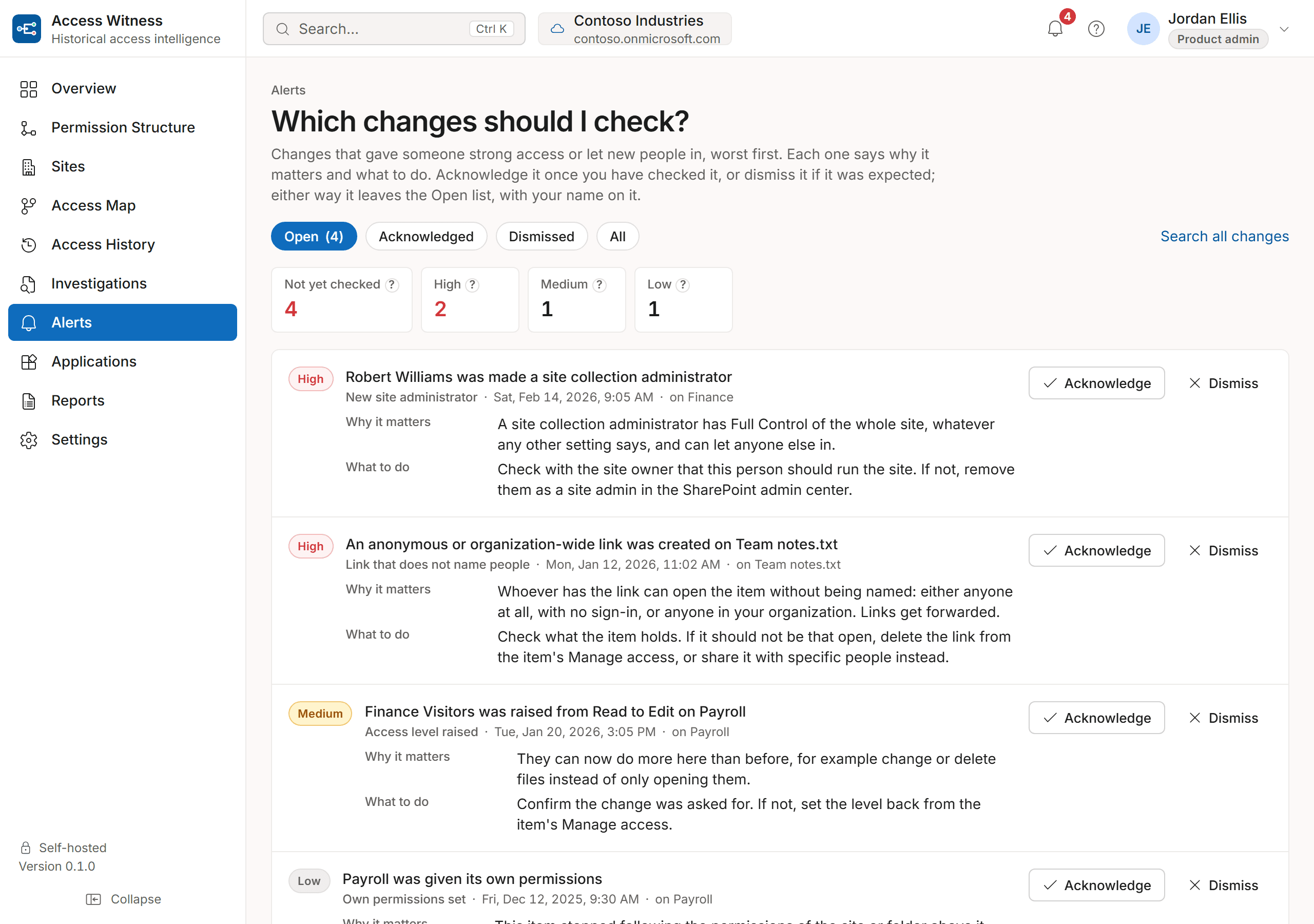
The changes that gave someone strong access or let new people in, worst first: a new site collection administrator, a link that does not name people, a group raised to Edit. Each says why it matters and what to do, and is acknowledged or dismissed with a name on it.Applications
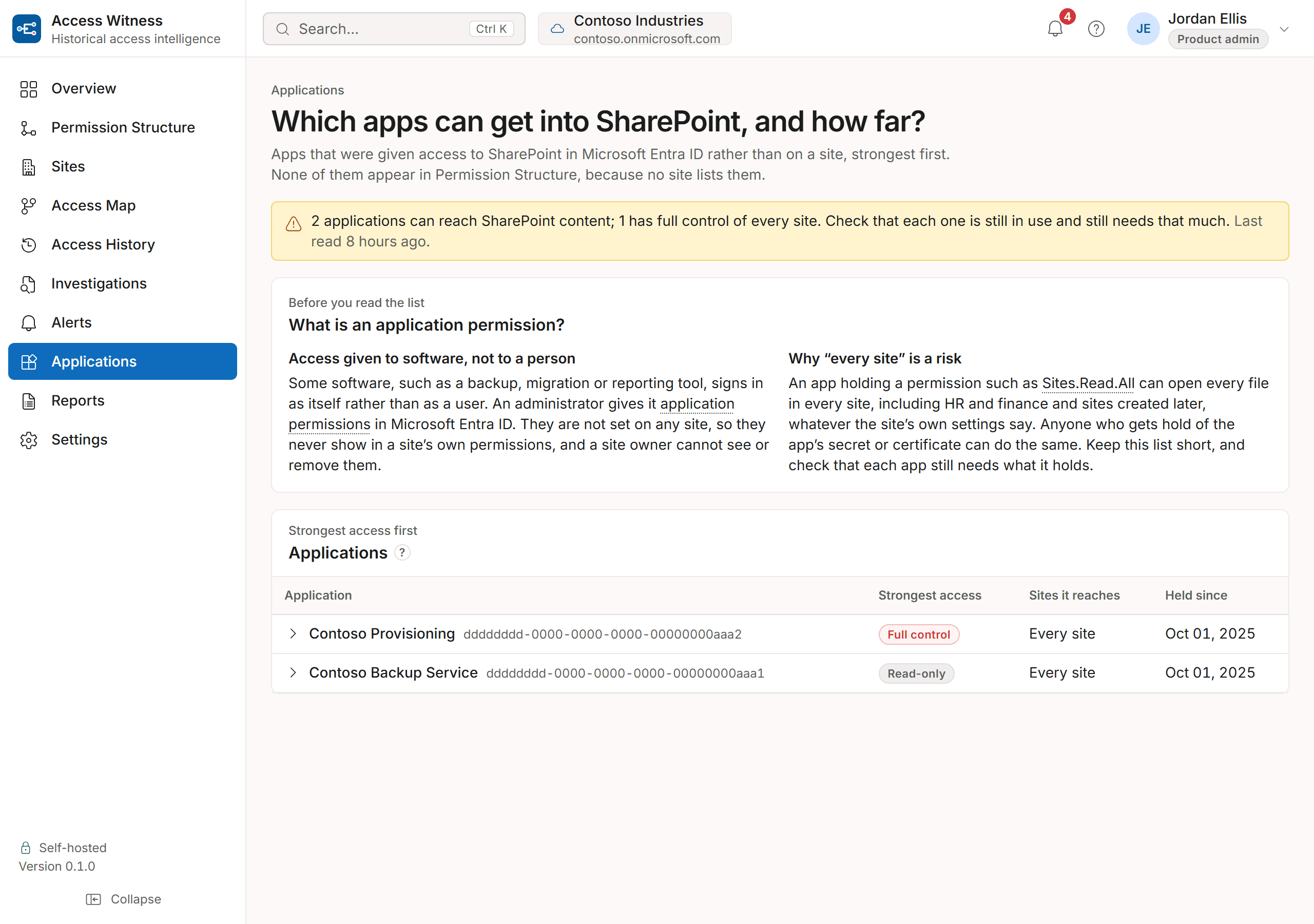
Apps given SharePoint access in Microsoft Entra ID rather than on a site, strongest first, with how far each reaches and since when. No site lists them, so they never show in a site's own permissions.Sites
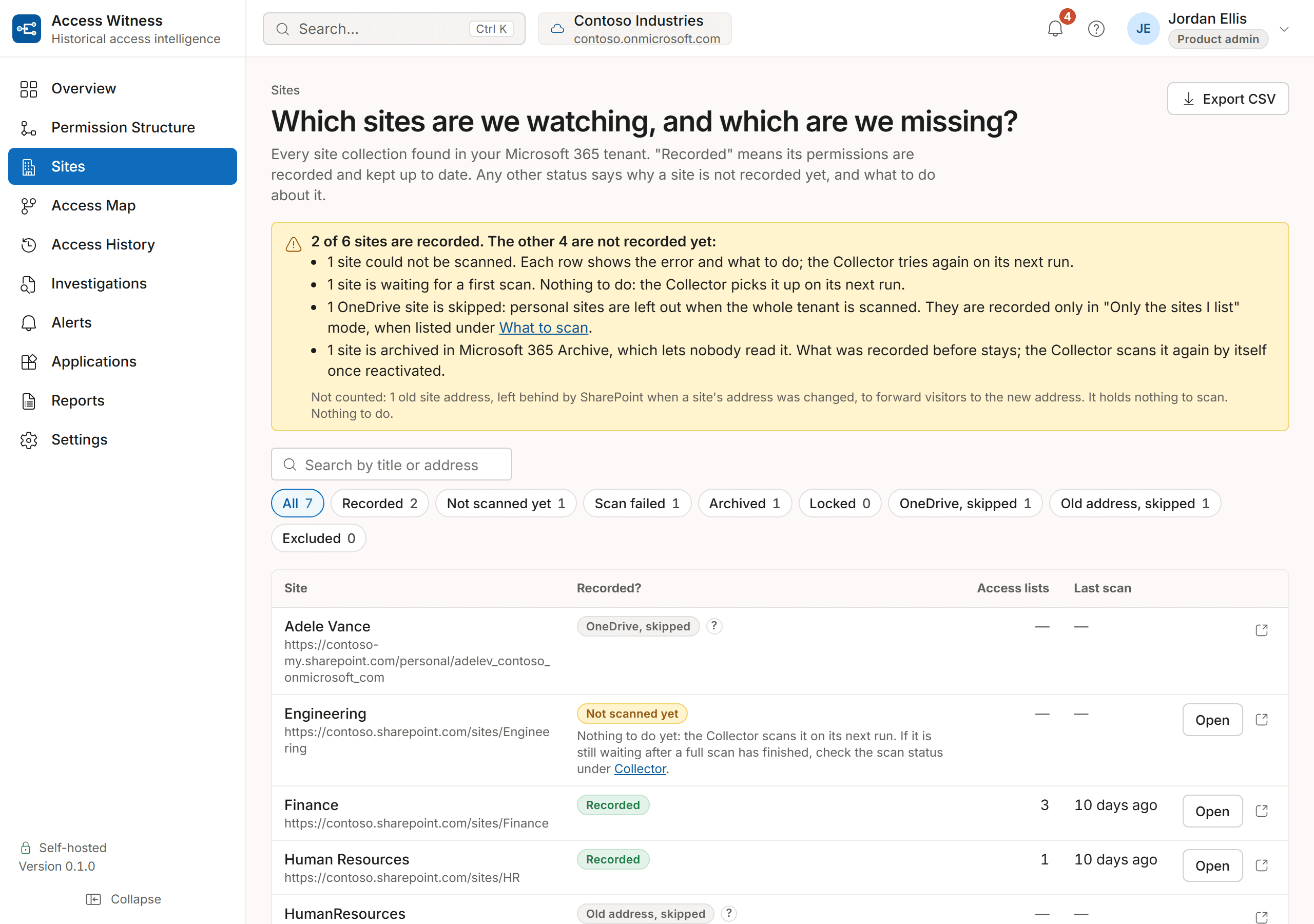
Every site collection in the tenant and whether its permissions are recorded. A site that is not says why (not scanned yet, failed, archived, locked, excluded) and what to do.Reports
Export a historical access answer as a JSON evidence file, and event lists, access maps and site inventories as CSV.Administration
Settings and update controls, and a record of every administrator action, all inside your deployment.Coverage
Whether the record is up to date, which sites it covers, and anything that needs attention.
Coverage
Is every site recorded?
The Sites page lists every site in your tenant and whether its permissions are recorded. A site that is not says why and what to do. Microsoft 365 can take hours to report a change, and the Dashboard shows how up to date the record is, so a late change is never mistaken for no change.
Alerts
Which changes should I check?
Not every change needs a person to look at it. The Alerts page lists the ones that do, worst first, with why each matters and what to do. Acknowledge an alert once you have checked it, or dismiss it if it was expected; either way it leaves the open list with your name on it.
Applications
Which apps can get into SharePoint, and how far?
A backup, migration or reporting tool can be given access to SharePoint in Microsoft Entra ID instead of on a site. That access never shows in a site's own permissions, and a site owner cannot see or remove it. The Applications page lists those apps, strongest first, with how far each one reaches and since when.
Principles
What you can rely on
Answers that say how sure they are
Every answer about the past is labelled Verified snapshot, Reconstructed, Partial or Unknown. Nothing from before recording began is guessed.
Renames don't break history
People, groups and sites keep their history when they are renamed.
Exact times
Every change has an exact time, shown in your own time zone.
Nothing quietly rewritten
A correction is kept alongside what it replaced, so the record shows both.
Take control of SharePoint access history
Stop reconstructing SharePoint permissions manually.
See how Access Witness records SharePoint permissions as they change and answers who had access on any past date, on a server you control.
Private deployment. Customer-controlled SQL database. Outbound-only connectivity.