Security
Your permission history stays with you.
What Access Witness reads, where it keeps it, and the little it sends us. Written to be checked, not to impress.
By area
Question by question
Where your data lives
- Everything it records (permissions, group memberships, sharing links and the changes to them) stays in your own SQL Server database, on servers you control.
- The database is yours: you choose the region, the backups and who can query it.
Document content
- It does not copy the content of your documents. It records who can reach them and how, not what they say.
- File names and locations are kept because they are needed to explain access, and they stay in your database.
Microsoft 365 access
- To see who has access, SharePoint requires an app to hold full-control permission. Access Witness uses it only to read: it never changes permissions, sharing or content.
- A Global Administrator signs in during setup to approve access. Setup registers Access Witness's applications in your Microsoft Entra ID, which needs the right to register applications while that administrator is signed in, and removes its own access when it is done, even if it stopped part-way.
Sign-in
- Your team signs in with their own Microsoft 365 accounts, through your organization's Microsoft Entra ID, with four roles from product administrator to read-only. No shared or vendor accounts.
- Signing in lets the Dashboard read who you are, nothing more: it cannot create or change anything in Microsoft 365 on anyone's behalf.
Credentials
- The credentials it reads Microsoft 365 with are created on your server and stay there. We never receive or hold them, and it keeps no passwords or private keys in its database.
Network
- Nothing on the internet needs to reach your servers. They connect out to Microsoft 365, to read, and to our licensing service, to check the license and offer updates.
What reaches us
- Our licensing service receives only your license key, which installation and Microsoft 365 tenant it belongs to (identifiers, not names), the product version, and how many licensed users you have: one number.
- It never receives permissions, names or lists of people, group memberships, site addresses, file details or audit records.
Updates
- Updates are signed, checked before they install, and rolled back automatically if the updated system fails its health check.
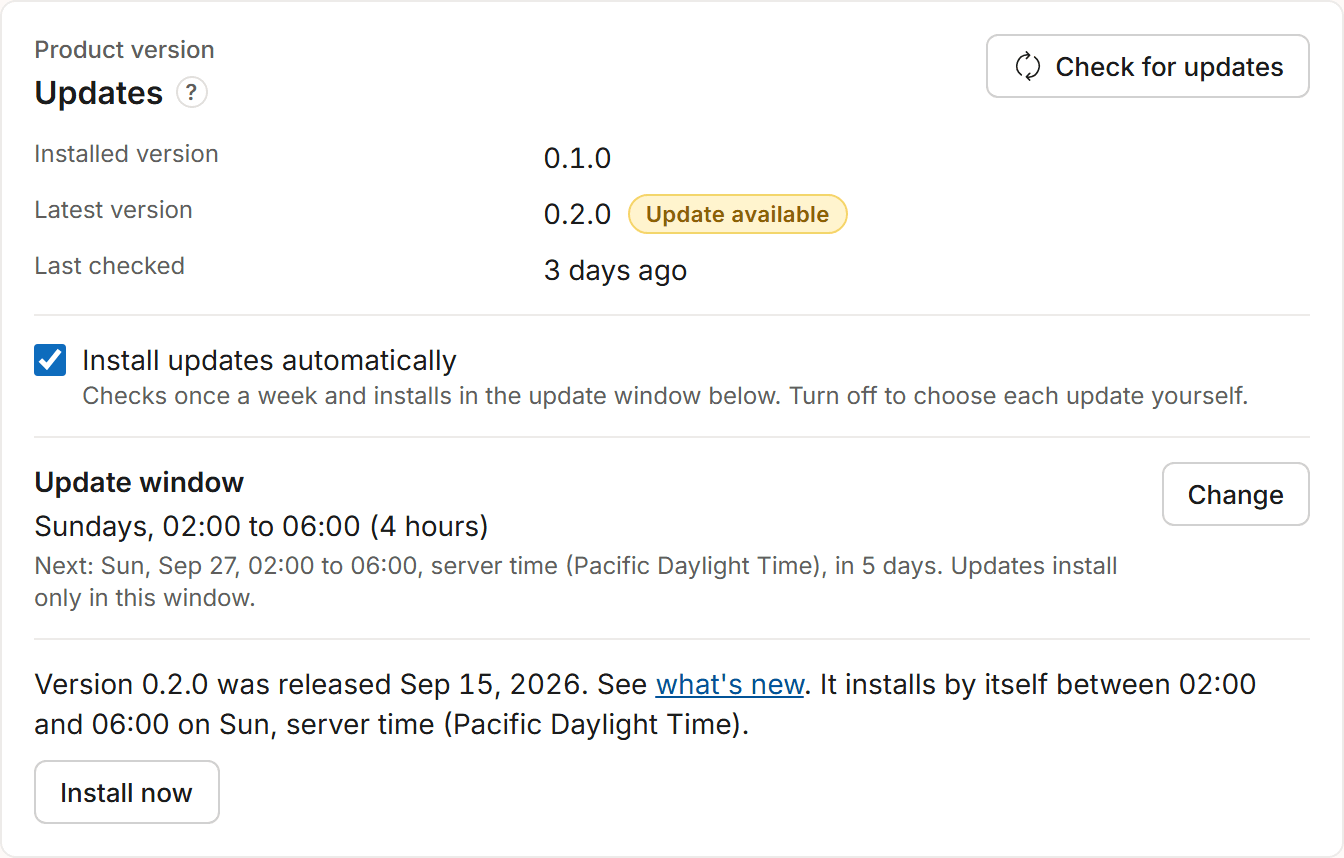
- You choose whether updates install by themselves, in a weekly window you set, or only when an administrator starts them. The choice can be changed at any time.
What we claim
- We don't claim certifications or compliance we don't hold.
- If you need an answer that isn't on this page, ask us and we'll answer it in writing.
Security
Bring your security questionnaire.
We answer your security team's questions in writing, and we say no when the answer is no.
Private deployment. Customer-controlled SQL database. Outbound-only connectivity.