Access Map
What can they reach?
- John Smith
- Member user
- Sites reached
- 1 site, 3 objects
- Through
- 2 groups, 1 nested, 1 sharing link
- Strongest level
- Edit
The picture
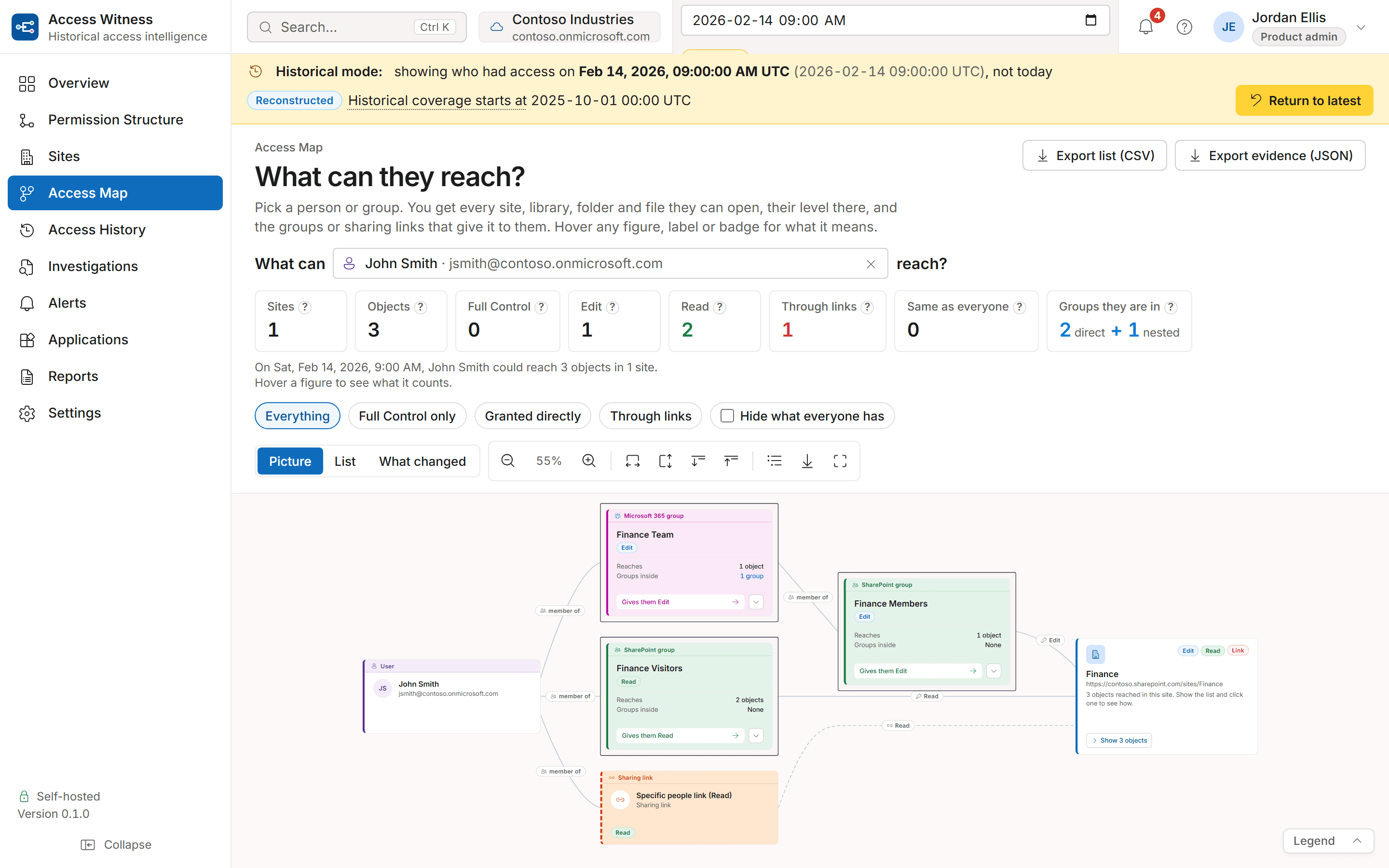
A tree, not a web
A person with access to forty sites through a dozen groups would be a tangle if every line were drawn. Access Map draws one tree: the person on the left, their groups and sharing links next, nested groups after that, and one card per site on the right. Every line runs to the right, a group that fans out too widely starts folded, and access that everyone in the tenant has is set apart so it does not hide what is specific to this person.
The list
The answer an auditor keeps
The picture explains; the list is the record. One row per object, grouped by site, strongest level first, with the route that grants it, when that route appeared, and the confidence of the answer. Export it as CSV or JSON with the date it was taken for.

Two moments
What changed between two dates
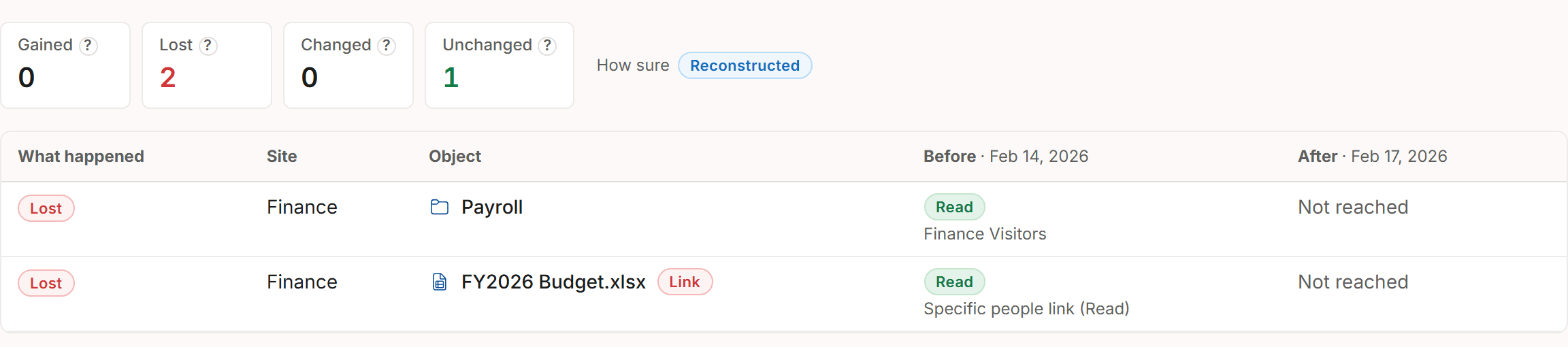
The What changed tab sets two moments side by side for the same person or group: what they gained, what they lost, where the level changed and what stayed the same, with the route before and after. Both moments stay in the page address, so the comparison can be sent to a colleague, and the changes export as CSV.
Where it is used
The questions that start from a name
Site-first views answer one object at a time. These questions need the whole reach of one identity at once.
Leavers and movers
Before a last day or a team change: every site and library the person can still reach, and which group membership or link to remove to close each one.Guest accounts
Start from an external identity and see exactly what it reaches, including access that arrives only through a sharing link or a nested group.Incident scope
Set the date to the moment of an incident and read what the account could reach then, with the confidence of the reconstruction stated on every row.Reviews with evidence
Export the list for the review record, filter it to Full Control only, to direct grants, or to sharing links, and leave out what every user in the tenant has.
What you can rely on
Rules the map follows
Access Map and Permission Structure work out access the same way from opposite ends, so the two views always agree.
Groups inside groups are followed
Every group the person belongs to, and every group those belong to, including the tenant-wide Everyone groups where they apply.
Every route is kept
An object reached three ways lists all three routes, so you know every route to close, not just the first one found.
The strongest level wins the card
A site card shows the highest level held on anything inside it; opening the card shows each object with its own level.
The date is honoured
Set a past date and the map shows that day's access, never today's.
Nothing is guessed
A date before recording began returns nothing, with the date recording began, rather than a guess.
Access Map
See what one account can reach in your tenant.
See it on sample data in a demo, then on your own tenant during a 60-day evaluation. It only reads: it never changes permissions, sharing or content.
Never changes permissions, sharing or content. Runs on your servers.